
Product · · 2 min read
Installing apps from inside WorkTool with winget and Scoop
Why WorkTool doesn't host downloads itself, how it sets up Scoop without Git, and how an installed app finds its way into the dock.
WorkTool development
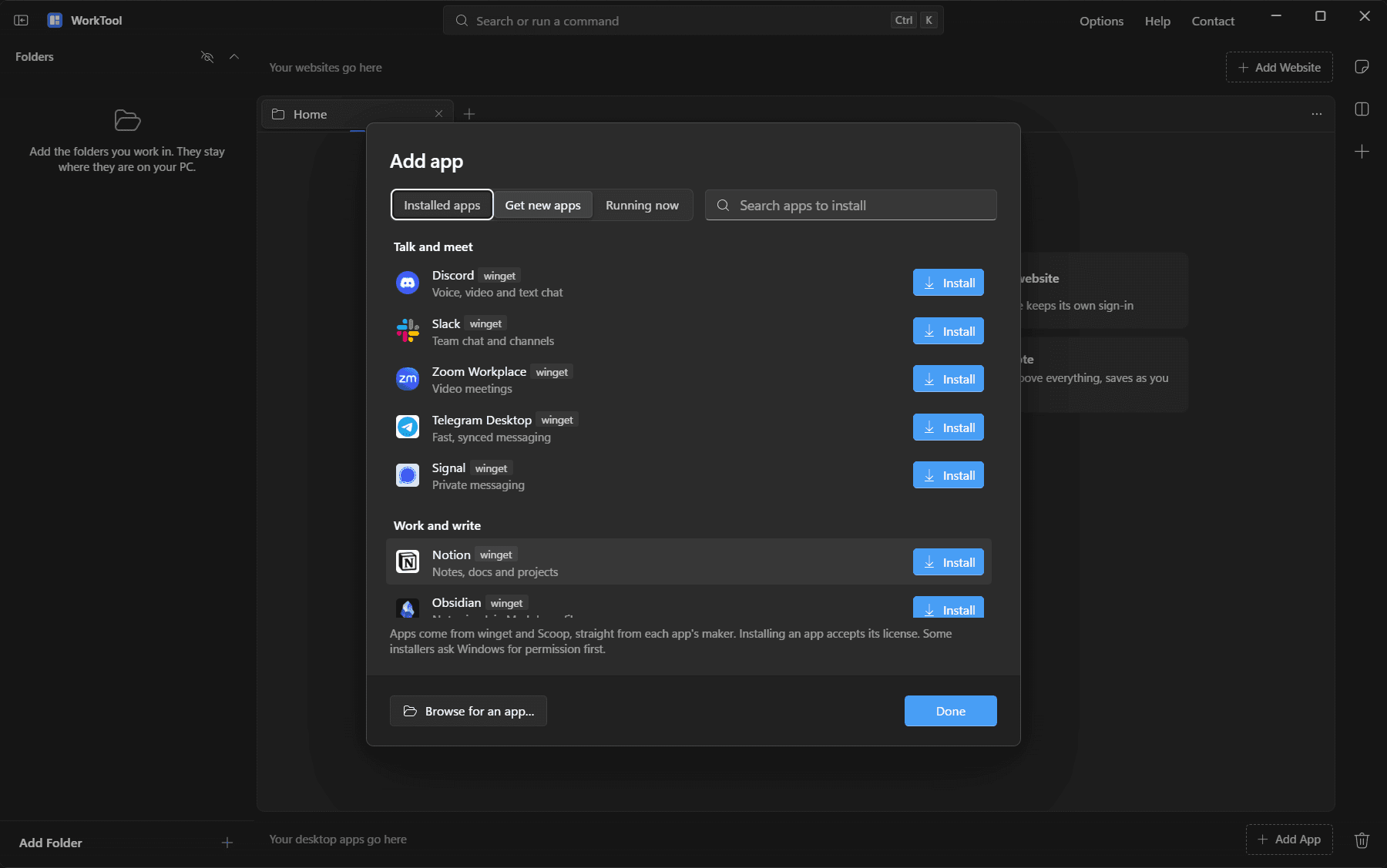
Since 0.2.0, WorkTool can install apps. Open Add app, choose Get new apps, search, click Install, and the app appears in your dock. Here's how that's built, and why it doesn't involve WorkTool hosting a single download.
Two sources instead of a store of our own
Running a store means redistributing other companies' software, being responsible for every file, and keeping up with updates. Two existing package managers already solve that:
- winget, Microsoft's package manager, which comes with Windows 10 and 11. It covers everyday apps and downloads each one from its maker, checking the file against a published checksum.
- Scoop, which installs portable apps into your user folder without administrator rights. Its catalogs are maintained in the open.
WorkTool uses winget's community source only. The Microsoft Store source is left out, because its apps are Store apps that can't run inside WorkTool.
Setting up Scoop without Git
Most PCs don't have Scoop. WorkTool sets it up by itself when it starts (you can turn that off in Options):
- It downloads the Scoop core and the Main and Extras catalogs as zip archives from Scoop's GitHub organization and unpacks them with Windows' own
tar.exe. No Git needed. - It uses Scoop's standard folder in your user profile, so other Scoop tools find it.
- It runs Scoop's scripts with an execution policy that applies to that one PowerShell process only. Your PC's PowerShell settings aren't changed.
- Folders it set up carry a marker and are refreshed weekly. A Scoop you installed yourself is never replaced.
The approach of letting Scoop's own scripts do every install while reading its catalogs directly for search comes from Rscoop, an open-source Scoop app by a friend of the project.
From installer to dock
After an install, WorkTool has to find the program to put in the dock:
- For Scoop, the app's catalog entry names its Start menu shortcut, which points to the exact program file.
- For winget, WorkTool compares the Start menu before and after the install and picks the new entry that matches the app's name. Already-installed apps are matched by name, and winget's portable apps are found in their own folder.
If nothing matches, WorkTool says so and points to the list of installed apps instead of guessing.
Tested with real installs
The 0.2.0 tests installed Notepad++ through Scoop and SumatraPDF through winget. Both landed in the dock, ran inside WorkTool, closed with their tab and uninstalled cleanly.
Installers that need administrator rights still show the Windows permission prompt, and progress shows stages ("Downloading", "Installing") rather than an exact percentage.