
Product · · 2 min read
Closing a tab should close the app
Tray apps like Discord kept running after their tab closed. What WorkTool does now, and what it deliberately doesn't do.
WorkTool development
A tester reported that after closing Discord's tab in WorkTool, Discord was still in Task Manager, and it came back as a separate window. They expected the opposite: close the tab, and the app is gone. Version 0.2.0 makes that true, with care for the cases where closing an app shouldn't be forced.
What was happening
When a tab closed, WorkTool sent the app the same request as clicking its close button. Most apps quit. Discord, like many chat and music apps built on Electron, treats that request as "hide to the tray" and keeps running. WorkTool then saw that the window still existed, assumed the app was asking a question (such as "Save changes?"), and handed the window back to the desktop. Hence a running Discord and a window that reappeared.
What WorkTool does now
It still sends the normal close request first, then watches what the app does:
- The app quits. Done. If helper processes of the same program are left over (Electron apps run several), WorkTool ends those too.
- The app only hides its window. WorkTool ends it, together with the processes it started.
- The app shows a question with a title bar. It moves to its own window so you can answer. Nothing is forced.
- The app still has other windows open, such as a second document. It keeps running.
Removing an open app from WorkTool closes its tab the same way. The app stays installed.
What it deliberately doesn't end
Helpers are matched by program file. A leftover process running the same .exe as the app is ended; a different program the app started, like an updater, keeps running so an update in progress isn't cut off. WorkTool also never ends Explorer, the Windows shell processes or WebView2, whatever window they own.
When the app hides itself
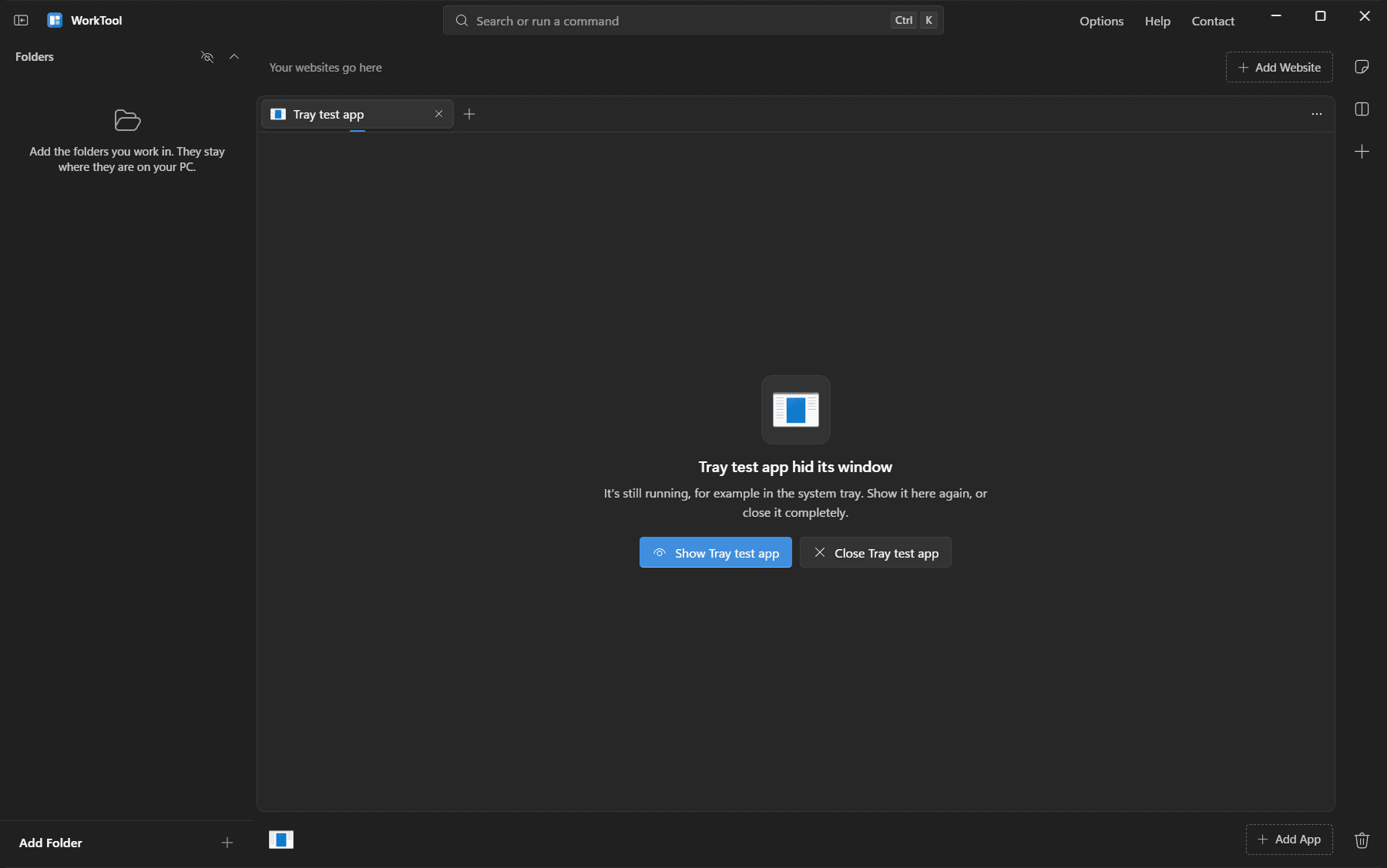
Sometimes the app's own close button sends it to the tray while its tab is still open in WorkTool. Instead of leaving an empty tab, WorkTool now says that the app hid its window and offers Show or Close.
One trade-off
Some people want a music app to keep playing from the tray after its tab closes. With this change, closing the tab stops it. Show in separate window, in the tab's menu, moves the app out of WorkTool and keeps it running.