
Development updates · · 2 min read
Where WorkTool stands: alpha build 0.2.0
What works, what was tested on real Windows 11 machines, what doesn't work yet, and what has to happen before the first public release.
WorkTool development
WorkTool is a Windows app that brings folders, desktop apps and websites into one window. It isn't publicly available yet. This article describes the current internal build, 0.2.0 from 2 November 2026, as plainly as possible: what it does, how it was tested, what doesn't work, and what's left before a public release.
What the alpha does
Every part of WorkTool is in place:
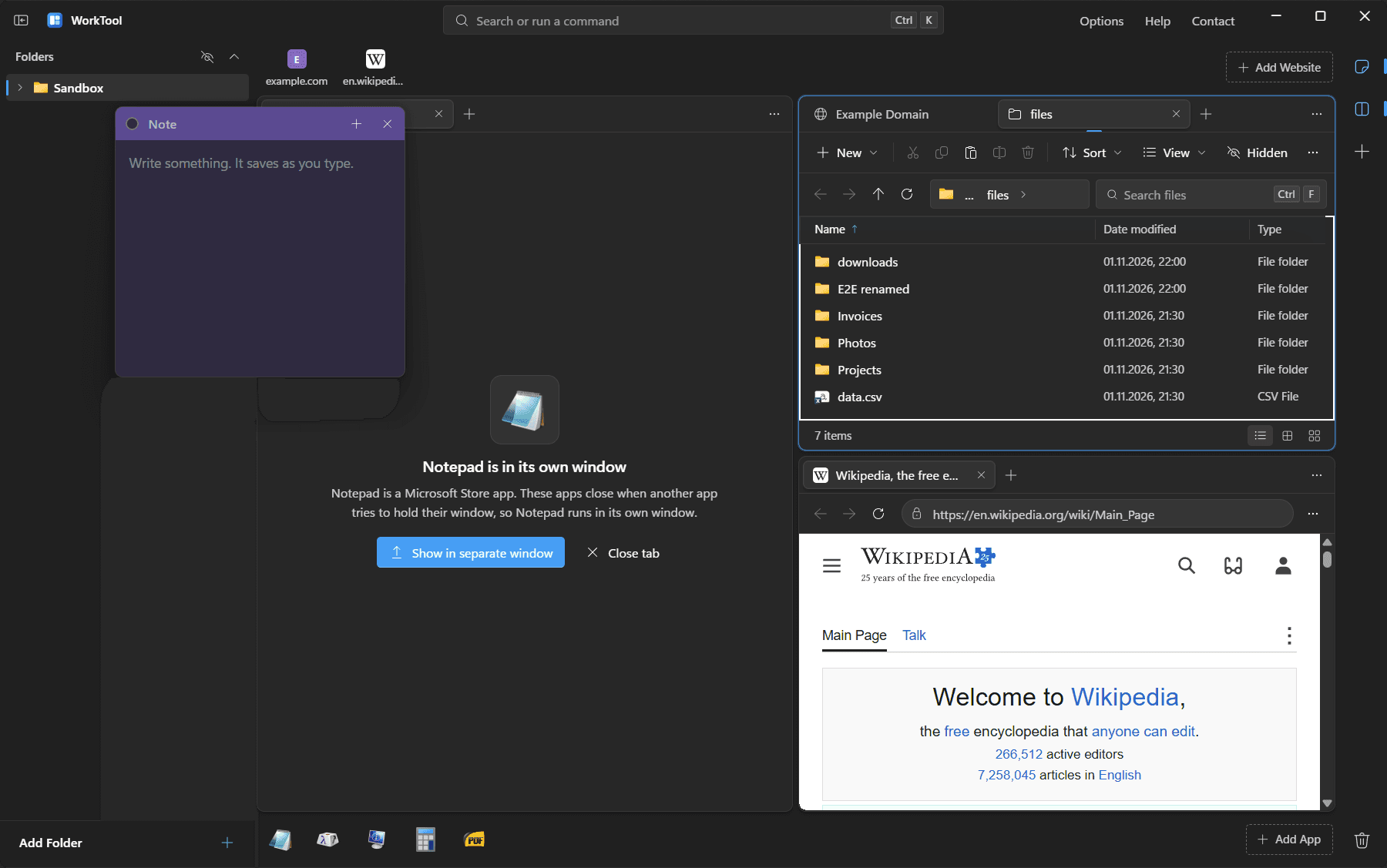
- Folders appear as a tree in the sidebar and open in tabs that behave like File Explorer: views, sorting, search through subfolders, multi-select, the Windows clipboard (so copy and paste works with Explorer in both directions), the Recycle Bin and Properties.
- Websites open in tabs rendered by Microsoft Edge WebView2. Each website you add has its own browser profile, so sign-ins never mix.
- Desktop apps open inside WorkTool's tabs, without their title bar. Closing the tab closes the app.
- Multi-view shows up to four panes, each with its own tabs.
- Notes float above everything, including the apps and websites inside WorkTool.
- Ctrl+K finds every item and action; Ctrl+P searches files across your folders.
- Get new apps installs apps through winget and Scoop and puts them in the dock.
How it was tested
Two kinds of automated tests run against WorkTool:
- An interface test drives the interface in a headless browser with a stand-in backend: 34 checks covering keyboard selection, drag and drop, layouts, dialogs, themes, narrow windows, accessibility basics and the new app install flow.
- End-to-end tests drive the real app on Windows 11: 27 checks from the first build (websites as native views, menus above live content, embedding, notes, file operations in a sandbox folder, downloads, sign-in popups, browser registration) and 23 new ones for 0.2.0.
The 0.2.0 tests installed real apps: Notepad++ through Scoop and SumatraPDF through winget. Both went into the dock, ran inside WorkTool, ended when their tab closed and uninstalled cleanly. To test the problem a tester reported with Discord (closing its tab left it running in the tray), the tests use a small app written to behave the same way, with a helper process of its own, so no real account was involved.
What doesn't work yet
These are known, and listed on the known limitations page with the reasons.
- Windows 10 is built for but hasn't been tested.
- Microsoft Store apps and apps running as administrator run in their own window. That's a Windows rule, explained in a separate article.
- Dragging files out of WorkTool into File Explorer isn't supported. Copy and paste works both ways.
- The snap layouts menu doesn't appear on WorkTool's maximize button, because the title bar is drawn by WorkTool.
- Real Google and Microsoft sign-ins haven't been tested with accounts. The popup mechanism they rely on has.
What comes before a public release
The roadmap lists it without dates, because none have been decided:
- more alpha testing on real work, and on Windows 10;
- a published installer on the downloads page, with its checksum and release notes;
- a public source repository with a license, since WorkTool is meant to become open source.
Until then, this blog and the changelog are where each build is documented.